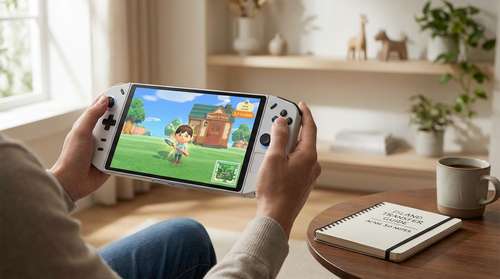
The wait is finally over. Following the January 15 launch of the enhanced Animal Crossing: New Horizons – Switch 2 Edition, players worldwide are rushing back to their islands to experience the massive 3.0 content update. Whether you are upgrading to Nintendo's next-gen hardware or breathing new life into your original save, this Animal Crossing New Horizons Switch 2 guide covers everything you need to know. From unlocking the luxurious Kapp'n's Resort Hotel to mastering Switch 2 Animal Crossing upgrades like 4K visuals and mouse support, we have compiled the ultimate walkthrough for 2026.
How to Transfer Your Island to Switch 2
Before you can enjoy the high-fidelity graphics of the new generation, you need to ensure your beloved island makes the journey safely. The ACNH island transfer tutorial process has been streamlined for the new console, but it still requires precision to avoid data loss. You have two primary methods to move your save file.
Method 1: Full System Transfer
If you are moving from an original Switch to a Switch 2 for the first time, the built-in System Transfer tool is your best bet. During the initial setup of your Switch 2, select "Transfer User and Save Data." Unlike the previous generation, the Switch 2's operating system usually detects Animal Crossing data automatically. However, ensure both consoles are connected to power and the internet.
Method 2: The Island Transfer Tool
If you have already set up your new console or are playing on a friend's device, you must use the Island Transfer Tool. Download the specific "Switch 2 Edition" version of the tool from the eShop on both devices. Open the app on your source console and select "Source," then open it on your Switch 2 and select "Target." This dedicated method is the safest way to ensure your Animal Crossing New Horizons 2026 secrets and custom designs remain intact.
Unlocking Kapp'n's Resort Hotel & 3.0 Update Tips
The crown jewel of the Version 3.0 update is undoubtedly Kapp'n's Resort Hotel. This new facility replaces the simple boat tours of the past with a fully management-focused gameplay loop. To unlock it, you must have a 3-star island rating and have visited Harv's Island at least once since the update installed.
Once unlocked, Kapp'n will invite you to manage the resort, where you can use Animal Crossing 3.0 update tips to satisfy guests. The core loop involves decorating guest rooms to specific themes—similar to the Happy Home Paradise DLC but with deeper mechanics. Successfully completed rooms award you with "Hotel Tickets," a new currency used to purchase exclusive furniture and the new "Island Uniforms" that allow you to set mandatory outfits for your visitors.
Switch 2 Exclusive Upgrades: Graphics and Controls
Playing on the new hardware offers more than just faster load times. The Switch 2 Animal Crossing upgrades drastically change how you interact with your island. The most immediately noticeable difference is the bump to native 4K resolution when docked, making textures like the new "Slumber Island" fabrics pop with incredible detail. Water reflections and shadow fidelity have also seen a massive overhaul.
Perhaps the most game-changing feature is the new control scheme. How to unlock Switch 2 features ACNH players are asking about? Simply plug in a compatible USB or Bluetooth mouse. The Switch 2 Edition natively supports mouse input for terraforming and interior design. This allows for precision placement of items and paths that was previously impossible with analog sticks alone, revolutionizing ACNH interior decoration tricks 2026.
Mastering New Decoration Tools and Storage
With the 3.0 update, Nintendo has finally answered the community's prayers regarding storage. You can now upgrade your home storage to a staggering 9,000 slots by speaking to Tom Nook at Resident Services. This expansion costs a hefty sum of Bells, so start playing the Stalk Market early.
For interior designers, the new "Grid-Free Placement" mode (exclusive to the Switch 2 version) allows you to nudge furniture by millimeter increments rather than full or half-grid snaps. Combined with the new lighting engine, you can create hyper-realistic interiors. Don't forget to utilize the new "Ceiling Scenery" options to add depth to your rooms, a feature that pairs perfectly with the new 4K visual output.
Multiplayer Enhancements
Finally, the Switch 2 Edition expands the multiplayer cap from 8 to 12 players. This increased limit is perfect for hosting large events or utilizing the new "Party Plaza" minigames introduced in the update. With the improved network card in the Switch 2, connection stability is significantly better, making island hopping seamless.