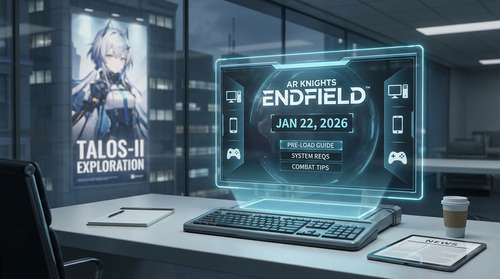
The wait is finally over for one of 2026's most anticipated RPGs. Arknights: Endfield officially launches globally on January 22, 2026, bringing its unique blend of real-time tactical combat and industrial base-building to PC, mobile, and PlayStation 5. With pre-loading now live as of January 20, players can prepare to dive straight into the mysterious world of Talos-II the moment servers go online. Whether you are a veteran Doctor from the original game or a newcomer ready to take on the role of Endministrator, this comprehensive guide covers everything from exact release times and system requirements to essential combat tips and crossplay details.
Global Release Time & Pre-Load Details
Arknights: Endfield release time is scheduled for 9:00 AM (GMT+8) on January 22, 2026. Due to time zone differences, this means players in the Americas can actually start playing on the evening of January 21.
Here is the global launch schedule breakdown:
- West Coast USA (PST): 5:00 PM, January 21
- East Coast USA (EST): 8:00 PM, January 21
- UK (GMT): 1:00 AM, January 22
- Central Europe (CET): 2:00 AM, January 22
- Japan (JST): 10:00 AM, January 22
How to Pre-Load Arknights Endfield
The Arknights Endfield pre-load is currently available on all platforms. Downloading early is highly recommended as the file size is substantial—approximately 50-76 GB on PC and 28 GB on mobile.
- PC: Download the official launcher from the Endfield website or via the Epic Games Store. Note that the launcher requires an additional unpacking phase after download, so leave extra time.
- Android/iOS: Search for "Arknights: Endfield" on Google Play or the App Store. Tap "Install" to download the initial client; additional data will download upon opening the app.
- PS5: Pre-load is available via the PlayStation Store. If you purchased a pre-order bundle, auto-download should already be active.
PC and Mobile System Requirements
To explore the vast frontiers of Talos-II without performance hitches, ensure your device meets these Arknights Endfield system requirements. The game is built on Unity and is well-optimized, but the open zones and factory simulations can be demanding.
PC Requirements
- Minimum: Intel Core i5-9400F, NVIDIA GTX 1060 (6GB), 16GB RAM.
- Recommended: Intel Core i7-10700K, NVIDIA RTX 2060 (or higher), 32GB RAM.
- Storage: 60GB SSD (plus 45GB free space for installation unpacking).
Mobile Requirements
- Android: Snapdragon 855 / Kirin 990 (Min) | Snapdragon 8+ Gen 1 (Rec). Requires Android 10+.
- iOS: iPhone 11 / A13 Bionic (Min) | iPhone 13 Pro / A15 (Rec).
Crossplay and Cross-Progression Features
A major win for players is the robust Arknights Endfield crossplay support. The game features full cross-progression across PC, mobile, and PlayStation 5. You can start your session on PC and continue exactly where you left off on your phone during your commute.
To enable this, you must link your PlayStation Network (PSN) account to your Gryphline account. Be aware that while progression carries over, paid currency (Originium/Oroberyl) bought on one platform may not be usable on another due to store policies, though the items purchased with them are shared.
Mastering the Combat & Elemental System
Unlike the tower defense gameplay of its predecessor, Endfield features real-time 3D combat with a squad of four. Success depends on mastering the elemental reaction system.
There are five elements: Physical, Heat, Electric, Cryo, and Nature. Stacking the same element triggers an Arts Burst (raw damage), while mixing different elements creates Arts Reactions:
- Combustion (Heat + Any): Deals continuous damage over time.
- Shatter (Cryo + Physical): A critical combo. Freeze enemies with Cryo, then hit them with a heavy Physical attack to trigger "Shatter" for massive burst damage.
- Corrosion (Nature + Any): Shreds enemy resistance, making them take more damage from all sources.
- Electrification (Electric + Any): Increases Arts damage taken by the target.
Pro Tip: For Physical teams, focus on applying the "Vulnerable" status. Once stacked 4 times, use a "Breach" or "Crush" skill to consume the stacks for a devastating finisher.
Gacha System and Reroll Guide
The Arknights Endfield gacha system is split into Character and Weapon banners. Here is the math you need to know:
- Rates: 6-Star Operators have a 0.8% drop rate.
- Pity: Soft pity starts around 65 pulls. A 6-Star is guaranteed by 80 pulls.
- Guarantee: If you lose the 50/50 on the rate-up character, the next 6-Star is NOT guaranteed. Instead, there is a hard guarantee specifically at 120 pulls for the featured unit.
- Weapons: Uses a separate currency (Arsenal Tickets). There is a selector system at 100 pulls allowing you to choose a specific 6-star weapon.
Should you reroll? Generally, no. The tutorial takes roughly 35 minutes and cannot be skipped. Given the generous launch rewards (including a free 6-star weapon selector and launch event pulls), your time is better spent progressing through the story to unlock the AIC base-building features.
Talos-II Exploration & Base Building Tips
The Automated Industry Complex (AIC) is the heart of your progression. Here are essential Talos-II exploration tips to get ahead:
- Avoid Corrosion Zones: Do not build your main factory hubs in Corrosion Zones. Your buildings will decay over time (losing ~2% HP per hour), forcing constant repairs.
- Power Transmission: Relay Towers require a clear line of sight. If you need to power a remote mining rig, place towers on high ground to extend their range.
- Automate Early: Move away from portable mining rigs as soon as you can. Set up a dedicated electric mining loop to feed your Protocol Anchor Core (PAC) automatically, so you gather resources even while offline.
- Use Ziplines: Unlock the zipline infrastructure early. Talos-II has vertical terrain that is tedious to traverse on foot; ziplines turn 5-minute treks into 30-second commutes.