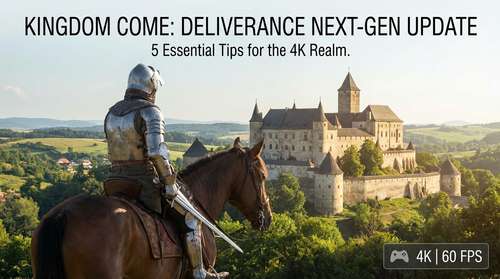
The long-awaited Kingdom Come: Deliverance Next-Gen Update has finally arrived, breathing new life into Warhorse Studios' medieval masterpiece just in time for its eighth anniversary. Released this week on PlayStation 5 and Xbox Series X, this massive patch transforms Henry of Skalitz’s journey with native 4K upscaling, "Ultra" PC-equivalent textures, and the Holy Grail of console gaming: a buttery smooth 60 FPS. Whether you are a veteran knight returning from the sequel or a fresh peasant conscript, surviving 15th-century Bohemia has never looked—or felt—this good. Here is your ultimate Kingdom Come Deliverance Next-Gen guide to mastering the technical upgrades and surviving the harsh world of 2026.
1. Master the New 60 FPS Combat Timing
The most game-changing feature of the Kingdom Come Deliverance 4K update is undoubtedly the jump to 60 frames per second. For years, console players battled input latency as much as Cumans, but the doubled frame rate fundamentally shifts the combat meta. KCD combat tips 2026 focus on reaction speed; the "Perfect Block" and "Master Strike" windows are now far more responsive.
With the fluidity of 60 FPS, your visual cues for enemy attacks are clearer, meaning you shouldn't spam the block button. Instead, wait for the green shield icon or the subtle shoulder movement of your opponent. The increased responsiveness allows for more aggressive feints and combos that were previously risky on older hardware. If you are coming from Kingdom Come: Deliverance II, you will find the combat rhythm in this updated original feels much closer to the sequel's refined mechanics.
2. Optimize Your KCD 60fps Console Settings
Unlike many modern titles that force you to choose between "Fidelity" and "Performance," Warhorse Studios has optimized the next-gen patch to target both. However, to get the most out of the KCD 60fps console settings, you should dive into the options menu immediately. The update utilizes AMD's FSR technology to upscale the image to 4K, but this can sometimes result in over-sharpening artifacts on certain displays.
Navigate to the graphics settings and check the Gamma and Sharpening sliders. We recommend lowering the in-game sharpening slightly if you notice shimmering on chainmail or foliage. Additionally, ensure your TV is set to "Game Mode" to fully capitalize on the reduced input lag. Xbox Series X users should also verify that VRR (Variable Refresh Rate) is enabled in their system settings, as it smooths out minor frame dips in demanding areas like Rattay.
3. Kingdom Come Deliverance PS5 Pro Guide: What to Expect
For owners of Sony's latest hardware, the Kingdom Come Deliverance PS5 Pro guide is short but crucial: do not look for a specific "Pro Enhanced" toggle. Reports confirm that while the game doesn't feature a dedicated PS5 Pro mode with PSSR support, the raw power of the Pro console ensures the dynamic resolution stays locked at its maximum 4K target more often than the base PS5.
On the standard PS5, you might see resolution drops during heavy battles or rainstorms to maintain that 60 FPS target. On the PS5 Pro, the image quality remains pristine and stable. If you are playing on a Pro, you are effectively getting the locked "Ultra" PC experience without the hassle of driver updates.
4. Utilize the Enhanced Draw Distance for Survival
One of the underrated Henry of Skalitz survival tips for this update involves the improved draw distance. The "Next-Gen" patch pushes vegetation and object rendering distances to their limits, matching the PC's highest presets. This isn't just for looking at pretty sunsets; it is a tactical advantage.
You can now spot Cuman ambushes or bandit camps from much farther away. When traversing the forests of Bohemia, stop at vantage points. The dense foliage no longer "pops in" at short range, allowing you to scout roads effectively. Use this visual fidelity to plan your approach, picking off enemies with a bow from a distance that was technically impossible on last-gen consoles due to rendering fog.
5. Immerse Yourself with New Audio Options
While visual fidelity takes the headlines, the update also includes significant audio improvements that shouldn't be ignored. If you want the most authentic experience, try the newly added or improved voice-over packs. The Czech voice-over, in particular, adds an incredible layer of immersion that aligns perfectly with the game's historical accuracy.
Combining the KCD performance mode settings with the native language track creates a definitive role-playing experience. With load times virtually eliminated by the SSDs, you can experiment with different dialogue choices and outcomes without the punishment of long waiting screens. It is the perfect time to replay Henry's story and see what you missed the first time around.