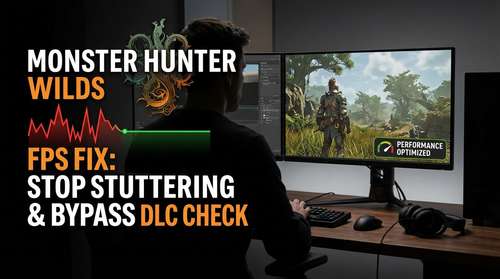
If you have been tearing your hair out over sudden frame drops in Monster Hunter Wilds, you are not alone. A bizarre new discovery has revealed that the game's massive performance stutters—specifically in hub areas—are not necessarily caused by your graphics card, but by a flawed automated "DLC presence check." As of January 2026, players have found that the game frantically scans for ownership of add-on content every time you are near the Support Desk, tanking performance for those who own the base game without the extras. This Monster Hunter Wilds FPS fix guide will walk you through how to bypass this check, install essential stutter-fixing mods, and optimize your settings for smooth hunting.
The "DLC Presence Check" Glitch: Why You Are Lagging
The biggest story in the Monster Hunter community this week is the "Support Desk" bug. Players noticed that frame rates would plummet in the main hub, specifically when near the NPC responsible for DLC management. Comprehensive testing revealed a confusing reality: owning more DLC actually improves performance.
The code appears to enter a loop, constantly verifying which DLCs a player does not own, creating massive CPU overhead. If you own everything, the check passes instantly. If you own nothing, the game stutters as it repeatedly fails the check. Until Capcom patches this in an upcoming Title Update, the community has rallied with a workaround.
How to Fix the DLC Stutter
To implement the MH Wilds DLC check fix, you don't need to buy hundreds of dollars of cosmetic armor. Instead, you can use a community-developed workaround that bypasses the presence check entirely.
- Download the Fix: Look for the "DLC Check Bypass" or the latest version of REFramework on Nexus Mods, which has recently integrated this specific patch.
- Install Safely: Place the mod files (usually
dinput8.dll) into your main Monster Hunter Wilds installation folder. - Verify: Launch the game and walk to the Support Desk. The micro-stutters that typically plague this area should be gone, stabilizing your 1% low FPS.
Essential Mods to Stop Stuttering in 2026
Beyond the specific DLC glitch, Monster Hunter Wilds suffers from general engine quirks that standard settings menus can't reach. To truly improve Monster Hunter Wilds performance, you should consider these safe, verified mods.
1. REFramework (The Essential Fix)
The RE Engine, while beautiful, is known for aggressive anti-tamper code that can cause micro-stutters during intense combat. The modder Praydog has updated REFramework to specifically target these CPU spikes in Wilds. Installing this is the single most effective MH Wilds lag fix 2026 has to offer.
2. DirectStorage Upgrade
If you experience lag specifically when whipping the camera around, it might be an asset streaming issue. A popular "IO Stutter Fix" mod replaces the game's older DirectStorage .dll files with updated Microsoft versions (1.2.3), smoothing out asset loading in dense zones like the Forbidden Lands.
Best PC Settings for Monster Hunter Wilds
Mods can only do so much; your graphics settings need to be balanced. Many players max out settings that offer diminishing returns. Here are the best PC settings for Monster Hunter Wilds to maximize framerate without making the game look flat.
Graphics Optimization Tips
- Volumetric Fog: Set to Low or Medium. This is the #1 FPS killer. The visual difference is negligible during hunts, but the performance gain is massive.
- Shadow Quality: Lower this to Medium. High shadows in Wilds are incredibly taxing on VRAM.
- High-Res Texture Pack: Uninstall it if you have less than 12GB of VRAM. The uncompressed textures cause massive bandwidth bottlenecks, leading to the dreaded "slide-show" effect.
Nvidia Profile Inspector Tweaks
For advanced users, disabling "Re-Sizeable BAR" specifically for Monster Hunter Wilds via the Nvidia Profile Inspector has been shown to smooth out frame times on RTX 40 and 50 series cards. This seems counter-intuitive, but currently, the game's implementation of rBAR creates more conflict than benefit.
Conclusion
While it is frustrating that a DLC presence check is the culprit behind widespread performance woes, the PC community's speed in finding a solution is commendable. By applying the bypass fix, installing REFramework, and tuning your volumetric settings, you can turn Monster Hunter Wilds from a stuttering mess into the smooth, high-octane experience it was meant to be. Keep an eye out for Capcom's official patch, but for now, these Monster Hunter Wilds optimization tips will keep you on the hunt.