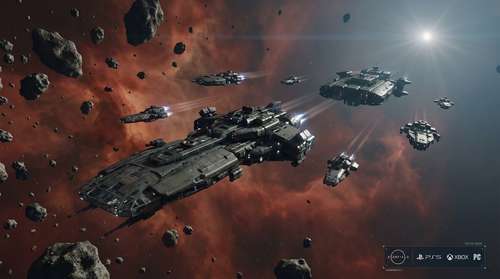
Bethesda's highly anticipated April 2026 update has completely transformed the Settled Systems. With the official PlayStation 5 debut injecting new life into the massive space RPG, veterans and newcomers alike are diving into a completely overhauled galaxy. The massive Free Lanes patch introduces game-changing flight mechanics, while the $10 premium expansion pits players against a devastating robotic threat. If you are struggling to figure out where to begin your new adventure, this comprehensive Starfield Terran Armada DLC guide will break down exactly how to trigger the new questline and master the latest spaceflight features.
How to start Terran Armada Starfield
Despite being the centerpiece of the April update, the new expansion does not automatically force its opening mission into your quest log the moment you boot up the game. Instead, you need to actively seek out the triggering event. Bethesda recommends your character be at least level 50 to tackle the challenging combat ahead, though daring players can jump in earlier if they have decent gear. The Terran Armada is formed by dangerous military deserters from the United Colonies and Freestar Collective, and their advanced robotic soldiers are incredibly unforgiving to underleveled explorers.
Finding the SSNN Broadcast
To initiate the campaign, you must first reach a major hub. Akila City is a reliable spot, but you can also find the required trigger near the mining colony of Cydonia on Mars. Listen closely to a local SSNN broadcast beacon. You will eventually hear a breaking news report detailing the mysterious hijacking of a luxury cruise vessel called the \"Opulence of the Stars\" in the Nirvana system. During this broadcast, an unknown entity announces themselves as the \"true children of Earth,\" officially giving you the \"Attack of the Terran Armada\" quest. From there, plot a course to the Nirvana system to rendezvous with a ship named the Olokun, which will direct you toward a nearby asteroid field to hunt for the enemy fleet.
Starfield Cruise Mode Explained
The most revolutionary feature of the free Starfield 2026 update walkthrough is arguably the elimination of endless fast-travel menus. Players have begged for atmospheric space travel since 2023, and Bethesda finally delivered. Starfield Cruise Mode explained simply: it allows you to fly your ship manually in open space between planets and moons within a single star system, effectively bridging the gap between planetary orbits.
Mastering the Flight Controls
Activating this feature is straightforward. Once in space, hold down L1 on PS5 (or LB on Xbox) to bring up the Cruise Mode prompt on your HUD. Pushing L3 or LS accelerates your vessel to its maximum cruising speed. As you fly, you will organically trigger new \"Free Lanes encounters,\" ranging from hostile ambushes to friendly traders in distress. If your sensors detect an interesting signal, you can select the marker and hit R1 or RB to engage Autopilot.
Perhaps the best part of this mechanic is the newfound freedom inside your vessel. While cruising through the void, you can hold Circle or B to unbuckle from the pilot seat, letting you chat with your crew, manage your inventory, or use research stations while en route to your destination. This feature is especially relevant for anyone looking for Starfield ship building tips 2026, as you can now actually walk around and appreciate your customized interiors in real-time transit rather than just while docked.
Surviving Terran Armada Incursions
The rogue military faction leading the Terran Armada isn't just confined to story missions; they actively invade the galaxy through the new Incursions system. These dynamic world events transform familiar, peaceful settlements into active, highly dangerous combat zones as robotic soldiers attempt to seize control.
During a Major Incursion, all fast travel capabilities to that specific location are completely shut down. You are forced to utilize the new Cruise Mode to breach the airspace manually and join the defense effort on the ground. Once you eliminate the hostile forces, standard travel rules apply again. If you find these attacks too frequent or overwhelming, you can adjust the Incursion Chance slider in your Gameplay Options, though reducing their frequency comes with a minor 4% XP penalty.
Maximizing the Starfield Free Lanes Update Tips
Beyond the robot army, the base game enhancements provide plenty of reasons to return. For those reading a Starfield PS5 beginner guide and booting up the game for the first time, taking advantage of the new X-Tech crafting system should be your immediate priority. This fresh resource allows you to continuously evolve your gear, re-roll frustrating legendary modifiers up to five times, and unlock the brand-new Tier 4 Legendary rank.
Additionally, excellent Starfield Free Lanes update tips involve utilizing the newly implemented shared outpost containers, which drastically reduce inventory management headaches. The patch also introduces the bustling Anchorpoint Station and a Quantum Entanglement Device that lets you carry over select items when entering New Game Plus. Navigating the Free Lanes is all about embracing the journey rather than just the destination. Grab your strongest weapons, upgrade your grav drive, and prepare to defend humanity from its latest mechanical threat.