
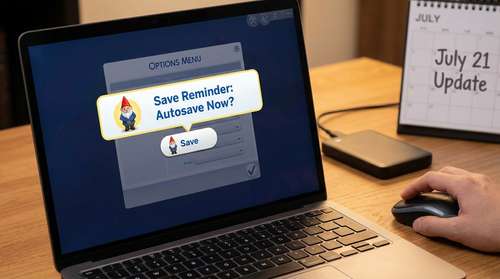
Electronic Arts has just dropped one of the most consequential quality-of-life patches in the game's history. Released on July 21, 2026, the massive summer update fundamentally changes how players secure their progress. Understanding the new Sims 4 autosave, how to use it correctly, and how it interacts with custom content is critical for every player right now. Say goodbye to the devastation of losing six hours of gameplay because your game crashed during a legacy wedding.
With an official automatic save system, customizable notifications, and a universal memory optimization overhaul now available across all platforms, the game is noticeably more stable. However, introducing major background changes often means navigating new menus and broken custom content. Here are our essential Sims 4 July 21 update tips to help you configure your new settings without inadvertently causing issues in your current active households.
Mastering The Sims 4 Autosave: How to Use It
For years, players had to rely on third-party script mods to automatically record their gameplay. The new official Autosave system works quietly in the background, triggering at customizable intervals. The best part about this feature is that it creates a completely separate save slot, meaning your meticulous manual saves remain entirely untouched.
To enable and configure the feature, navigate to Options Menu > Game Options > Save Settings. From here, you can command the game to automatically trigger a save after a set period of playtime, when your household travels between lots, or right after major life milestones.
If you are a builder who spends hours tweaking roof pitches—or a storyteller worried that the game might accidentally save a sudden, unwanted death—you have complete control. PC and Mac users can easily toggle the entire system on or off, giving you the flexibility to play exactly how you want.
Sims 4 Save Reminders Guide & The New Save Gnome
If you prefer to maintain absolute manual control over your files, you should look into the new Save Reminders feature. Instead of quietly recording your data in the background, this system actively prompts you to save the game yourself, ensuring you never forget.
When configured, a friendly—and occasionally grumpy—notification will pop up in the corner of your screen at your chosen intervals. It acts as a helpful nudge to protect your progress. It is vital to note that unlike the background automatic process, clicking "save" on the reminder will directly overwrite your last active manual slot.
Sims 4 Save Gnome Options
Players can customize the frequency of these prompts within the same Save Settings menu. Whether you need a gentle reminder every thirty minutes or a firm nudge every couple of hours, the Sims 4 save gnome options are highly flexible. You can adjust the intervals at any time to fit your current play session.
Sims 4 Memory Boost Explained
Perhaps the most technically impressive aspect of the recent patch is the global rollout of the game's performance enhancer. If you want the Sims 4 memory boost explained simply: it completely changes how the game engine handles active memory allocation to deliver a much smoother experience.
Initially introduced in late 2025 exclusively for Windows PC users as an optional test toggle, this under-the-hood fix is now permanently active by default across all platforms, including Mac, PlayStation, and Xbox consoles.
You will see significantly smoother framerates, shorter loading screens, and a massive reduction in memory-related crashes. The difference is incredibly apparent for players running legacy saves that have existed for years, managing massive households, or loading into highly decorated community lots. Furthermore, the development team noted that these background changes have successfully patched out the notorious For Rent residential lot corruption issue.
Additional Free Content and Bug Fixes in the July Update
Alongside the massive save system overhaul, the July 21 update also surprised players with a generous drop of free content. The developers added eight entirely new Starter Sims to the Create-A-Sim roster. These pre-styled characters come with canon names and fully fleshed-out appearances, ensuring you have dynamic options right out of the gate.
To support these new characters, the update includes a collection of culturally inspired Create-A-Sim accessories representing Caribbean, Indigenous, Latin American, and South Asian cultures. You can find these new earrings and necklaces available for free in the base game.
Beyond content, the team successfully squashed a series of annoying visual bugs. Builders will be thrilled to know that the frustrating invisible roof section glitch has finally been resolved, allowing for seamless room construction directly beneath pitched roofs. Additionally, players who felt overwhelmed by festival pop-ups will appreciate the new notification toggle for Nordhaven Hobby Meetups.
How to Fix Broken Sims 4 Mods
Any patch that alters the user interface and core memory management will inevitably break a few files. Since the menus have been overhauled and the game handles resources differently, many popular user interface and script mods require immediate updates.
If your game is refusing to load or displaying blank text boxes, here is exactly how to fix broken Sims 4 mods safely:
- Move Your Mods Folder: Before launching the updated game, drag your entire Mods folder to your desktop. Let the game generate a fresh folder to ensure the base update runs smoothly.
- Update UI and Core Script Mods: Any file that alters menus, adds new traits, or changes background scripts is likely broken. Check with the original creators for their late-July updates.
- Use the 50/50 Method: If your game is still crashing, divide your custom content into two halves. Test one half in the game. If it crashes, the bad file is in that batch. Keep dividing the problematic batch until you isolate the broken file.
- Clear Your Cache: Always delete the localthumbcache.package file in your main directory after removing or updating your custom content.
By properly configuring your new intervals and ensuring your custom content is up to date, you can enjoy the most stable version of the game we have seen in years.